Showing posts with label iOS 10. Show all posts

Wednesday, October 19, 2016

You can now ask Google Now to book an Ola or Uber

You can now ask Google Now to book an Ola or Uber

By 
Google has teamed up with Ola and Uber to make cab booking even more hassle-free. So, you can now look for directions and then choose the taxi service directly within the Search app or mobile search browser.
search_ola_uber
The feature was made available on the latest version of Google Maps earlier this year, offering a tab with information for cab services in addition to the existing driving, public transport, or walking options. With the further integration, users can ask Google for directions and book the ride directly from Search.
Google explains that on request for specific information such as “Taxi to Bangalore airport” or more specifically “Uber to Bangalore airport” or “Ola to Bangalore airport”, the app/ browser directs the user to select a service and

Thursday, October 6, 2016

Shoto now available for iOS 10, integrates into iMessages

Shoto now available for iOS 10, integrates into iMessages

By 
Photo discovery app Shoto has been officially announced for iOS 10 and iMessage for all Apple devices. According to the company the app leverages Apple’s Messages framework to make all of your Shoto discovered photos, albums and trips available quickly and easily to share.
Using the Shoto iMessage extension in any iMessage conversation, users can share picture and videos with a single tap. Users get an option to select a single photo or video, or select from an entire album or trip, each labeled and organised by Shoto.
It is also the first app that can inform users which of their friends has relevant photos and videos even if those friends don’t use the Shoto app. According to the company it uses artificial intelligence and passive data to understand which albums have relevant photos accessible from friends. Shoto groups and highlights relevant images from shared moments to ensure that a user’s album contains all photos from

Why the Google Pixel phone won't steal the enterprise crown from the iPhone anytime soon


By Brandon Vigliarolo | October 5, 2016, 12:57 PM PST

Google's brand new flagship Pixel phone is trying to nudge Apple's iPhone 7 off its pedestal. Nevermind the consumer realm: Is Apple's mobile enterprise supremacy really at risk?
Yesterday's Pixel phone announcement by Google has people all over the tech industry talking. Is it an iPhone killer? Will it finally help Google earn a spot in the enterprise? For some it might seem like a competitor, but there are serious limitations that will prevent it from really making a dent in Apple's armor.

To understand why the Pixel isn't the new enterprise golden child we only need to consider what the businesses truly want in a mobile device. Unfortunately for Google it's not all great cameras, bright blues, and headphone jacks.
What the enterprise wants

To be fair, there are some features of the Google Pixel that will make it a good choice for businesses—but those perks aren't enough to take the spotlight off what it lacks. Enterprises need four things in a mobile device: security, ecosystem partners, integration capabilities, and support.
It's all about security

Mobile devices are ubiquitous, and that means they're being used for work. While an increase in mobile use in the workplacecreates a security risk it can be mitigated by making good hardware and security choices.

"Apple is favored by enterprises because of the tight ecosystem control that Apple exerts, over the

How to customize the Calendar app in iOS 10 to improve your workflow


By Cory Bohon | October 5, 2016, 8:18 PM PST

The iOS Calendar app can help keep you organized and on task. See how to customize Calendar to take full advantage of its powerful features.

Apple has iterated the iOS Calendar app since its introduction in iPhone OS 1.0. In iOS 10, the Calendar app is at its most powerful and useful.

There are lots of customization options to tweak the calendar exactly to your liking, whether you want to change the default calendar, the start day of the week, or which calendars are displayed. Here's how to customize the calendar to improve your workflow and make your calendar events easier to read.


Depending on where you live and your calendar preferences, you may want the

Wednesday, October 5, 2016

How to use the Swift Playgrounds iPad app to code on the go


Image: Apple
Swift Playgrounds is an easy way to learn Swift programming and to test code inside of Xcode, and now the feature is available for iOS 10. Learn how to use the Swift Playgrounds app for iPad.

By Cory Bohon | October 4, 2016, 8:13 AM PST


Apple announced Swift Playgrounds earlier this year during WWDC '16, andreleased it alongside iOS 10 in September. This new app is great for beginner coders and professional developers, because it allows you to officially write Swift code and have it run on the iPad. This is a first for iOS—Apple has never allowed apps that can compile or interpret code.

Perhaps the biggest feature of the Swift Playgrounds app for iOS is the ability to download tutorial projects to learn Swift; these projects are pretty self-explanatory so I won't cover them. I'll walk you through the workings of Swift Playgrounds, and how to write own code inside the app.

SEE: Apple's Swift programming language: The smart person's guide
What is a Playground?

Swift is Apple's newest programming language, and it can be used to write apps on all of its platforms: iOS, macOS, tvOS, and watchOS.


More about Mobility
8 reasons why professionals should get the iPhone 7
Report: Your business is wasting money on BYOD reimbursements
iOS 10 and the enterprise
Subscribe to TechRepublic's Mobile Enterprise newsletter

Playgrounds are a feature of Swift and the Xcode IDE that allows for quick compiles in a REPL (read-eval-print-loop) style interface, mimicking the REPL found in run-time interpreted languages like Ruby. Playgrounds are simple files that contain Swift code and can be compiled and run quickly, providing output logging to the user as the code is executed.

For example, if you write a for loop that iterates over an array to add new items, then for each iteration of this for loop, the playground will show the index of the loop and the output of the code executed in that loop. In this scenario, it would

Sunday, October 2, 2016

How to update to iOS 10 using Apple Configurator 2


Apple Inc.


Updating to iOS 10 is pretty simple for end users, though it's not a breeze for IT teams, which might have to update hundreds of devices. Apple Configurator 2 can help.


By Jesus Vigo | September 30, 2016, 10:58 AM PST


Apple Configurator 2, the Apple-provided application that allows for mass configuration of iOS-based devices, offers the right blend of user experience and powerful management features to simplify the deployment process for any SMB or enterprise environment. I'll show you how to configure iOS devices for iOS 10 with Apple Configurator 2.


SEE: Screenshots: A complete roundup of new iOS 10 features

Requirements

Apple computer running OS X 10.11.5 or

newer


What's Hot at TechRepublic

How to set up Windows 10 on the Raspberry Pi

Myth busted: Older workers are just as tech-savvy as younger ones, says new survey

How Tesla Autopilot drove a man with a blood clot to the hospital, and expanded the autonomous car debate

Photos from Star Trek 50 in Las Vegas: see Shatner, Takei, a wedding, and cosplay

Apple Configurator 2

At least one iOS-based device

At least one USB charging cable for your iOS device

Powered USB hub (only required if updating multiple iOS devices at the same time)

Administrative credentials

Update to iOS 10 using Apple Configurator 2


1. Launch the Apple Configurator 2.app and click the Get Started button to access the main screen (Figure A).


Figure A

Image: Jesus Vigo/TechRepublic


2. Power on and connect your iOS device via the USB charging cable to an open USB port or an optional USB hub. The app will detect the model of the iOS device and provide the device name once it's fully connected. If multiple devices are connected at once, they will be displayed onscreen, and a badge will appear with the number of devices ready for configuration (Figure B).


Figure B

Image: Jesus Vigo/TechRepublic


3. Highlight all the devices you wish to update and click the Update button in the toolbar. This will query Apple's database to locate the latest versions of iOS supported for each device and compare them to the database (Figure C) (Figure D).


Figure C

Image: Jesus Vigo/TechRepublic


Figure D

Image: Jesus Vigo/TechRepublic


4. After clicking the Update button when prompted, click the Accept button to agree to Apple's Licensing Terms (Figure E).


Figure E

Image: Jesus Vigo/TechRepublic


5. Apple Configurator 2 will begin to download the latest versions of iOS and save them to the computer. As the download completes, the update process will begin for the devices connected (Figure F) (Figure G).


Figure F

Image: Jesus Vigo/TechRepublic


Figure G

Image: Jesus Vigo/TechRepublic


6. The download process will depend on your internet speeds from your ISP; however, the upgrade process takes about 20 minutes on average, and multiple devices can be upgraded at the same time from the same IPSW firmware file.


When installation is complete, the device will reboot before reconnecting to Apple Configurator 2 again. This is normal operating procedure, and the screen may change to reflect a disconnect during this brief time (Figure H).


Figure H

Image: Jesus Vigo/TechRepublic


7. When the iOS device has been successfully updated, you will be required to unlock the device once to finalize the process. You may not disconnect your newly updated iOS device (Figure I).


Figure I

Image: Jesus Vigo/TechRepublic


With the basic update process completed, you'll find that Apple Configurator 2 has a lot more to offer when deploying specific configuration sets using Blueprints or preparing devices to be securely managed or supervised either manually or Over-the-Air (OTA) using Mobile Device Management (MDM) servers.


Thursday, September 29, 2016

Skype update for iOS adds Siri integration, supports iOS 10 features

#SKYPE

Skype update for iOS adds Siri integration, supports iOS 10 features


By 
Skype has announced an update for iOS users that claims to integrate the best iOS 10 features into the Skype experience.
The latest Skype version 6.25 for iPhone and iPad adds support for Siri integration, which enables users to use Siri to make Skype calls. Now you can simply say “Call James Archer” to start a call on Skype after confirmation on the right contact from Siri, Skype says in a blogpost.
Image Credit: Skype
Image Credit: Skype
In addition to Siri integration using the SiriKit, Skype has also added support for CallKit where incoming Skype calls will look exactly like any regular incoming call. This will enable easier switch between a regular call and a Skype call. The company announced that SiriKit and CallKit integration would arrive at their Skype for Business iOS apps next month providing business owners same freedom as announced in the Skype Blogs.
Image Credit: Skype
Image Credit: Skype
There are some limitations with the implementation of the features as you can only make calls to the people if they are in your Skype contact list. You can’t search and add new contacts to your Skype contacts using Siri commands. This update comes right after the update released fromWhatsApp and OlaCabs for iOS 10.

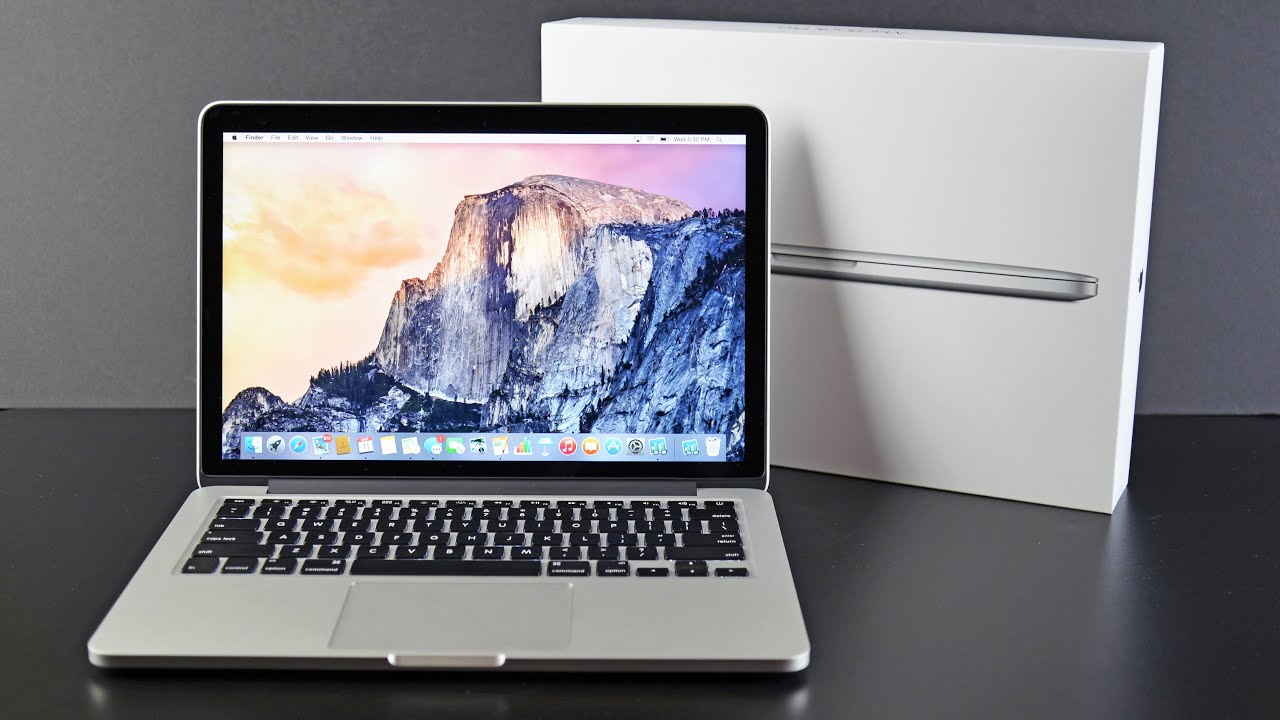
New MacBook Pros arriving in the second half of October


Apple’s popular MacBook Pro range is due for an update soon. With the iPhone 7 and Apple Watch Series 2 launches out of the way, the company is reportedly gearing up to ship the new laptops "some time in the second half of October,” and is currently hard at work on macOS 10.12.1 to finalize support for the rumored Touch ID sensor and OLED bar.

According to reports, Apple plans to introduce completely revamped 13 and 15-inch Retina MacBook Pros with a thinner and lighter form factor. The new models might ship with Intel’s seventh generation Kaby Lake processors, if the companies' release schedules line up, and are expected to feature multiple USB-C ports with Thunderbolt 3 support.

Apple is said to be introducing its fingerprint scanning Touch ID feature to its new family of MacBook Pros, integrating it into the power button. Just like on the iPhone, the fingerprint reader would remove the need to type in a password and allow users to authenticate Apple Pay purchases, a feature that just expanded to the web with macOS Sierra and iOS 10.

The new laptops are also expected to see the physical function keys along the top of the keyboard replaced with a new OLED display touch bar, which will present different function keys to users depending on the applications they're using.

In addition to redesigned MacBook Pro models, Apple may also introduce updated MacBook Air models and new iMacs with AMD graphics chips before the end of the year.

Tuesday, September 27, 2016

iOS 10 Vulnerability Makes Bruteforcing Backup Passwords Up To 2,500 Times Faster (Updated)

ElcomSoft, a Russian digital forensics and IT security firm, announced that it found a flaw in iOS 10’s backup password mechanism that allows its password cracking tools to bruteforce a password 2,500 times faster compared to when the old iOS 9 mechanism was being used.

iOS 10's Backup Password Mechanism Vulnerability

The firm said that Apple introduced a secondary password verification mechanism for local backups that existed in parallel to the old mechanism. However, the new system allows password-cracking tools to skip certain security checks, and thus bruteforce passwords 2,500 times faster.
The most modern password-cracking tools, including ElcomSoft’s own “Phone Breaker,” use GPU acceleration to bruteforce passwords. However, because the company has just learned about this iOS 10 flaw, it has only had time to update its tools for breaking passwords while using only the CPU. Even so, bruteforcing passwords on iOS 10 is still 40 times faster than bruteforcing them with GPUs on iOS 9.

Backup Passwords, An Easy Target

According to ElcomSoft, the reason its tools now try to focus on breaking the security of backups is because iOS has gotten increasingly more secure, and there are fewer and fewer ways to break into the system and extract its data. Backups remain the easiest vector for now.
Breaking the backup password also gives access to keychain data such as app passwords, authentication tokens, credit card information, Wi-Fi network information, and any other sensitive information that app developers may have thought needs to be stored securely.
Normally the keychain data is encrypted and the key is stored in the Secure Enclave, which can’t be easily hacked. According to ElcomSoft, even if you jailbreak a 64-bit iPhone, you can’t extract the key from the Secure Enclave. However, if you decrypt the backup password, you would be able to decrypt keychain data on a iOS 10 device.

Six Million Passwords Per Second

When testing the new bruteforcing method that takes advantage of iOS 10’s new backup password verification mechanism, ElcomSoft said that it achieved the following results:
  • iOS 9 (CPU): 2,400 passwords per second (Intel i5)
  • iOS 9 (GPU): 150,000 passwords per second (NVIDIA GTX 1080)
  • iOS 10 (CPU): 6,000,000 passwords per second (Intel i5)
Despite the fact that a single dual core Intel Core i5 CPU was being used, ElcomSoft could still try six million passwords every second. If GPU acceleration would be enabled, it’s likely that the tool could bruteforce passwords even faster.
Updated, 9/23/2016, 2:35pm PT: Apple responded to our request for comment with the following statement:
"We're aware of an issue that affects the encryption strength for backups of devices on iOS 10 when backing up to iTunes on the Mac or PC," said an Apple spokesperson. 
"We are addressing this issue in an upcoming security update. This does not affect iCloud backups. We recommend users ensure their Mac or PC are protected with strong passwords and can only be accessed by authorized users. Additional security is also available with FileVault whole disk encryption," he added
Related Posts Plugin for WordPress, Blogger...