LinuX Containers (LXC) is an operating system-level virtualization method for running multiple isolated Linux systems (containers) on a single control host (LXC host)
https://wiki.archlinux.org/index.php/Linux_Containers
low level ...
https://linuxcontainers.org/
Docker
by Docker, Inc
a container system making use of LXC containers
so you can: Build, Ship, and Run Any App, Anywhere http://www.docker.com
LXD
by Canonical, Ltd
a container system making use of LXC containers
so that you can: run LXD on Ubuntu and spin up instances of RHEL, CentOS, SUSE, Debian, Ubuntu and just about any other Linux too, instantly, ...http://www.zdnet.com/article/ubuntu-lxd-not-a-docker-replacement-a-docker-enhancement/
Docker vs LXD
Docker specializes in deploying apps
LXD specializes in deploying (Linux) Virtual Machines
LXD specializes in deploying (Linux) Virtual Machines
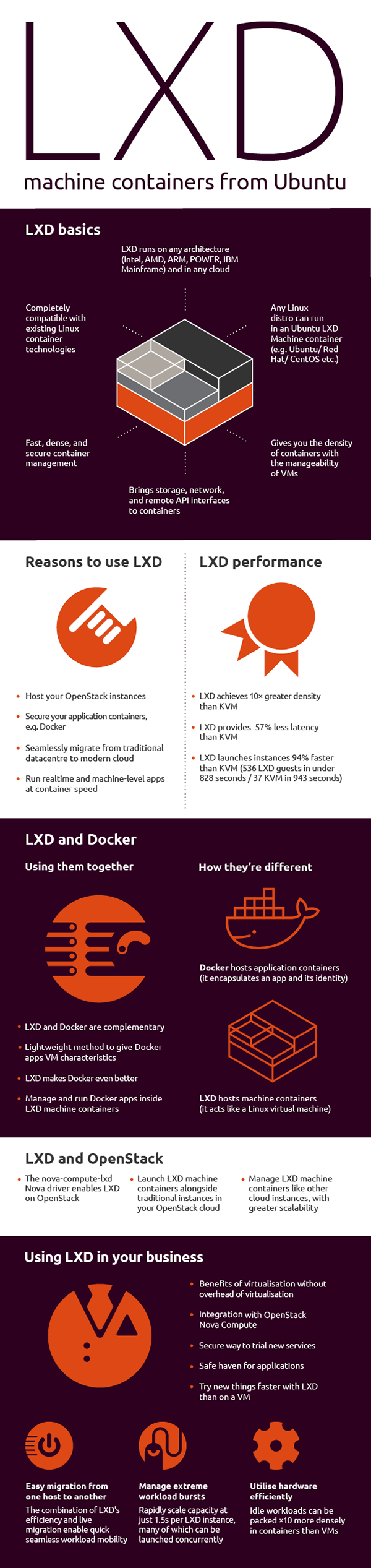
LXD (pronounced “lex-dee”) is a container hypervisor from Ubuntu. LXD containers look and act like virtual machines, but have the lightweight performance and scalability of process containers. You can use LXD on its own to deploy traditional workload applications, or you can use Docker containers inside LXD containers to get the best of both technologies.
The infographic below introduces the basic facts about LXD, provides figures on LXD performance, explains how LXD and Docker work together and offers applications of LXD in your business.